
SwipeRefreshLayoutとはAndroidアプリのリスト表示等でスワイプしてデータ更新(Pull to Reflesh)のトリガー的演出をしてくれるUI。Androidのアプリ開発で使ってみたいUIの一つです。
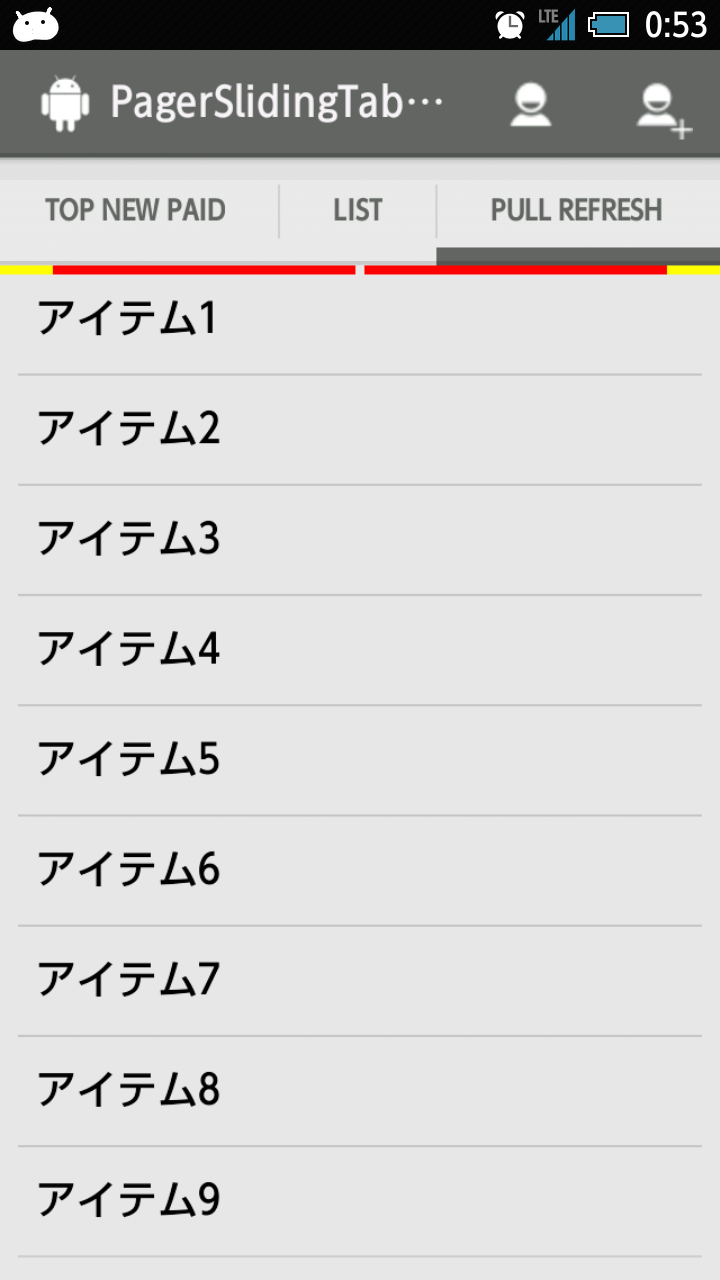
実装方法はさほど難しくなく、
http://dev.classmethod.jp/smartphone/swiperefreshlayout/
http://qiita.com/nein37/items/c9ae7c8e3489b1276c14
等を参考にさせていただきました。
ちょと注意すべき点は「SwipeRefreshLayoutの直接の子はひとつだけ」ということ
<android.support.v4.widget.SwipeRefreshLayout
    xmlns:android="http://schemas.android.com/apk/res/android"
    android:id="@+id/refresh"
    android:layout_width="match_parent"
    android:layout_height="match_parent">
    <ListView
           android:id="@android:id/list"
           android:layout_width="match_parent"
           android:layout_height="match_parent" >
    </ListView>
</android.support.v4.widget.SwipeRefreshLayout>
ただこれだとデータがない「empty」の場合の表示ができない。
本来ならsetEmptyTextでいいぢゃん、と思ったが何故か落ちる。
そうなると
<TextView android:id=“@android:id/empty” … />
だけど「SwipeRefreshLayoutの直接の子はひとつだけ」の制約がある。
それならばということでこうしてみました。
<android.support.v4.widget.SwipeRefreshLayout
    xmlns:android="http://schemas.android.com/apk/res/android"
    android:id="@+id/refresh"
    android:layout_width="match_parent"
    android:layout_height="match_parent">
    <LinearLayout
            android:layout_width="match_parent"
            android:layout_height="match_parent"
            android:orientation="vertical">
        <ListView
            android:id="@android:id/list"
            android:layout_width="match_parent"
            android:layout_height="match_parent" >
        </ListView>
        <TextView
            android:id="@android:id/empty"
            android:layout_width="match_parent"
            android:layout_height="match_parent"
            android:text="@string/no_data"
            android:textSize="30sp"/>
    </LinearLayout>
</android.support.v4.widget.SwipeRefreshLayout>
これでとりあえず回避かな